AI Ticket & Email Routing
Classify incoming emails and support tickets, prioritize urgent cases, route them to the right team, and generate response suggestions.
About It
AI Ticket & Email Routing helps teams organize incoming requests faster by automatically identifying the topic, urgency, and destination of each message.
Instead of manually reviewing every email or support ticket, the system acts as an intelligent triage layer that reduces response delays and improves operational consistency.
- Faster ticket classification
- Reduced manual triage
- Priority and SLA support
- Better routing to the right team
How It Works
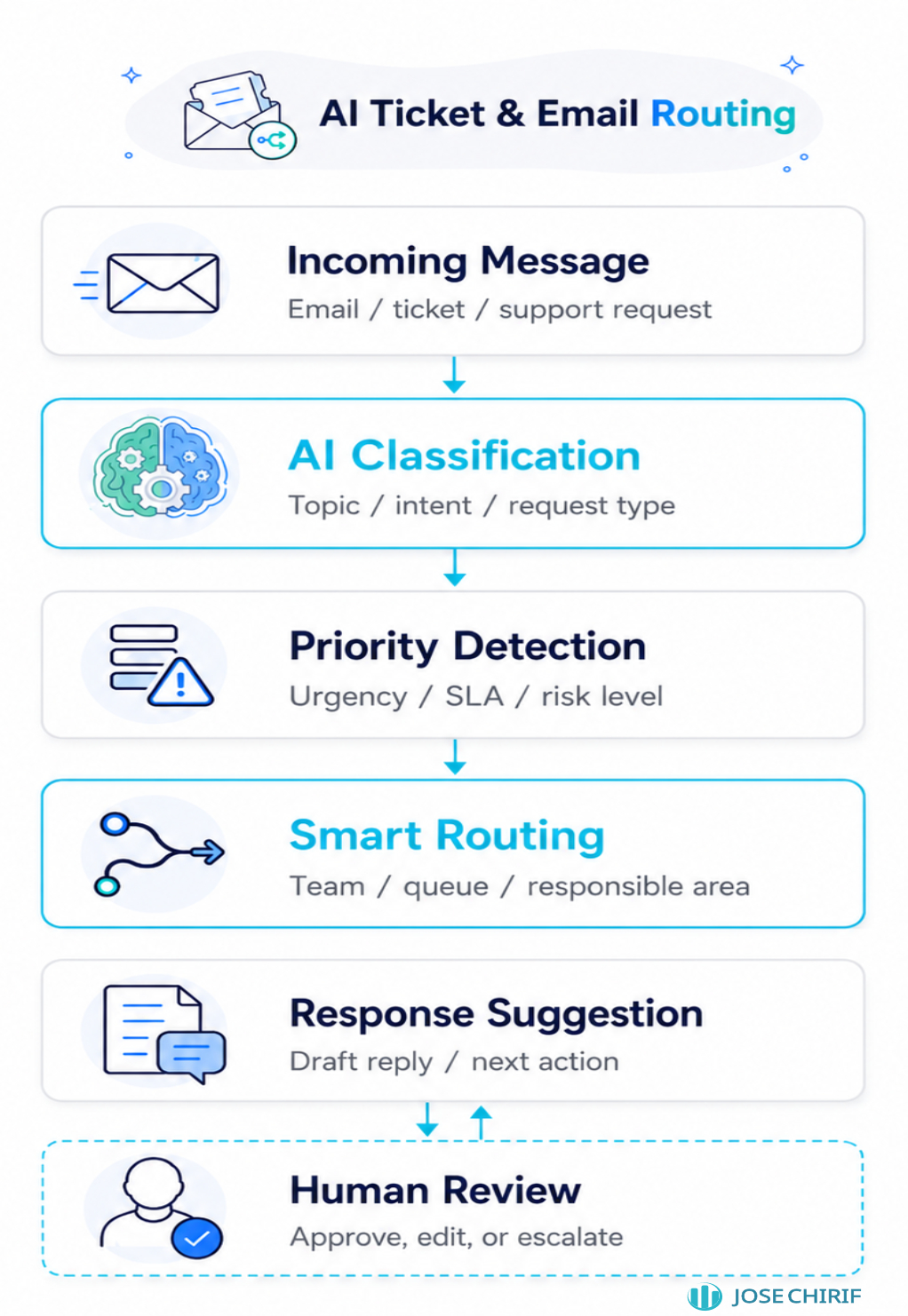
The system receives an email or ticket, detects its intent and urgency, assigns a category and priority, routes it to the appropriate team, and can suggest a draft response for review.
Service Scope
The base service focuses on building an AI triage workflow that classifies incoming messages and organizes them for faster attention.
Base Service
- Review of current email or ticket categories
- Definition of classification labels and routing rules
- AI-based topic and intent detection
- Priority assignment based on urgency or business rules
- Routing recommendation by team, area, or queue
- Basic response suggestion for human review
Customization
- Custom ticket categories by business process
- SLA-based prioritization rules
- Automatic routing to departments, agents, or queues
- Suggested replies based on approved templates
- Integration with helpdesk platforms, inboxes, forms, or CRM systems
- Escalation rules for complaints, urgent cases, or VIP clients
- Feedback loop to improve classification over time
- Dashboard with volume, categories, response time, and unresolved cases
Base Output
- A classification and routing workflow that organizes incoming messages and suggests the next action for review.
Advanced Integration
- The system can connect to helpdesk tools, email inboxes, CRMs, or internal systems to classify, prioritize, assign, and prepare responses automatically.
Use Cases
Designed for teams that receive repeated requests through email, contact forms, support platforms, or customer service channels.
Including:
- Customer support inboxes
- Technical support tickets
- Internal IT or operations requests
- Sales and post-sale inquiries
- Claims, complaints, and service incidents
- Administrative request management
Responsible Use
- Critical cases should be reviewed before final action
- Routing rules should be aligned with the company’s real support process
- Suggested replies should be approved before being sent automatically
- Classification quality depends on message clarity and historical examples
- The system supports support teams; it does not replace human judgment in sensitive cases
Get Your Routing System
Organize your support inbox with AI-assisted classification, priority detection, routing rules, and response suggestions tailored to your team’s workflow.